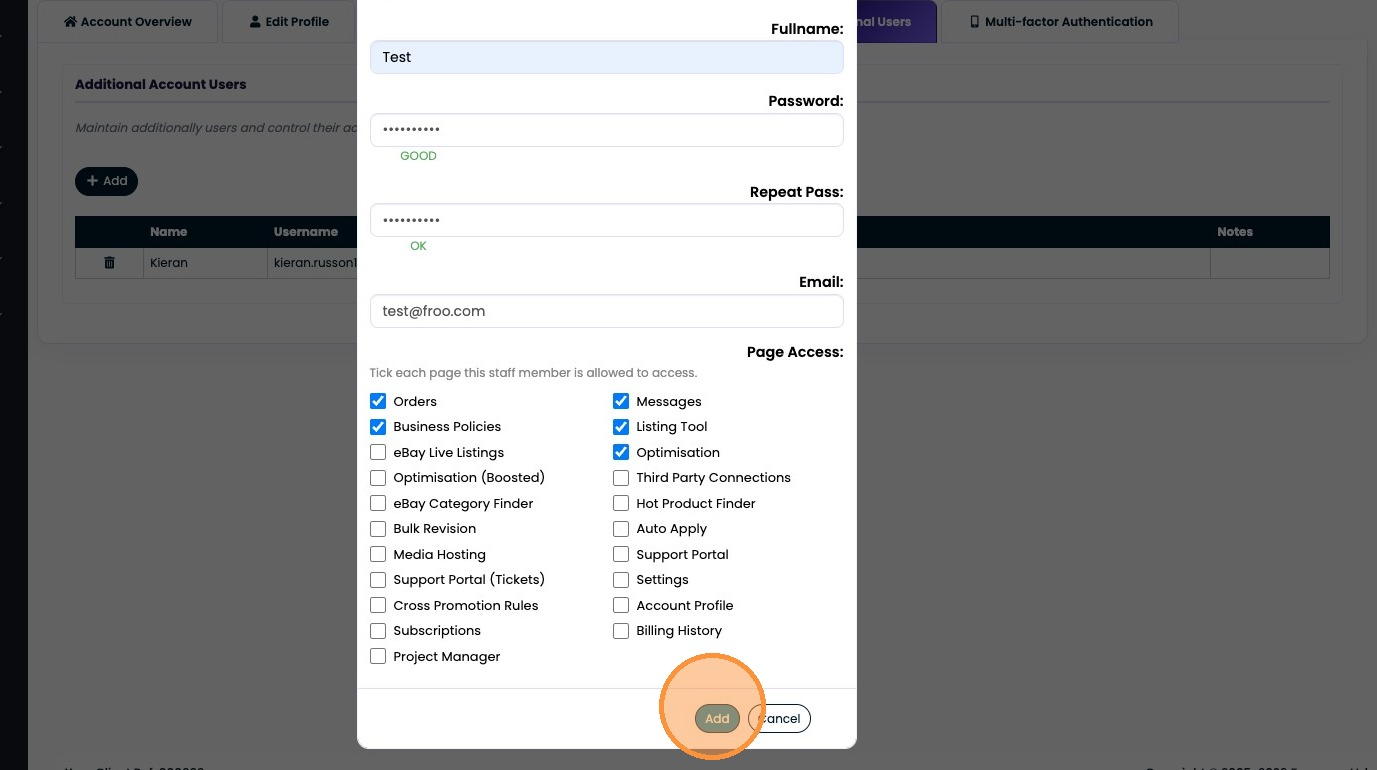
Learn how to manage your team by adding new users to your Frooition dashboard. This guide provides a walkthrough for setting up account credentials and assigning specific feature permissions.
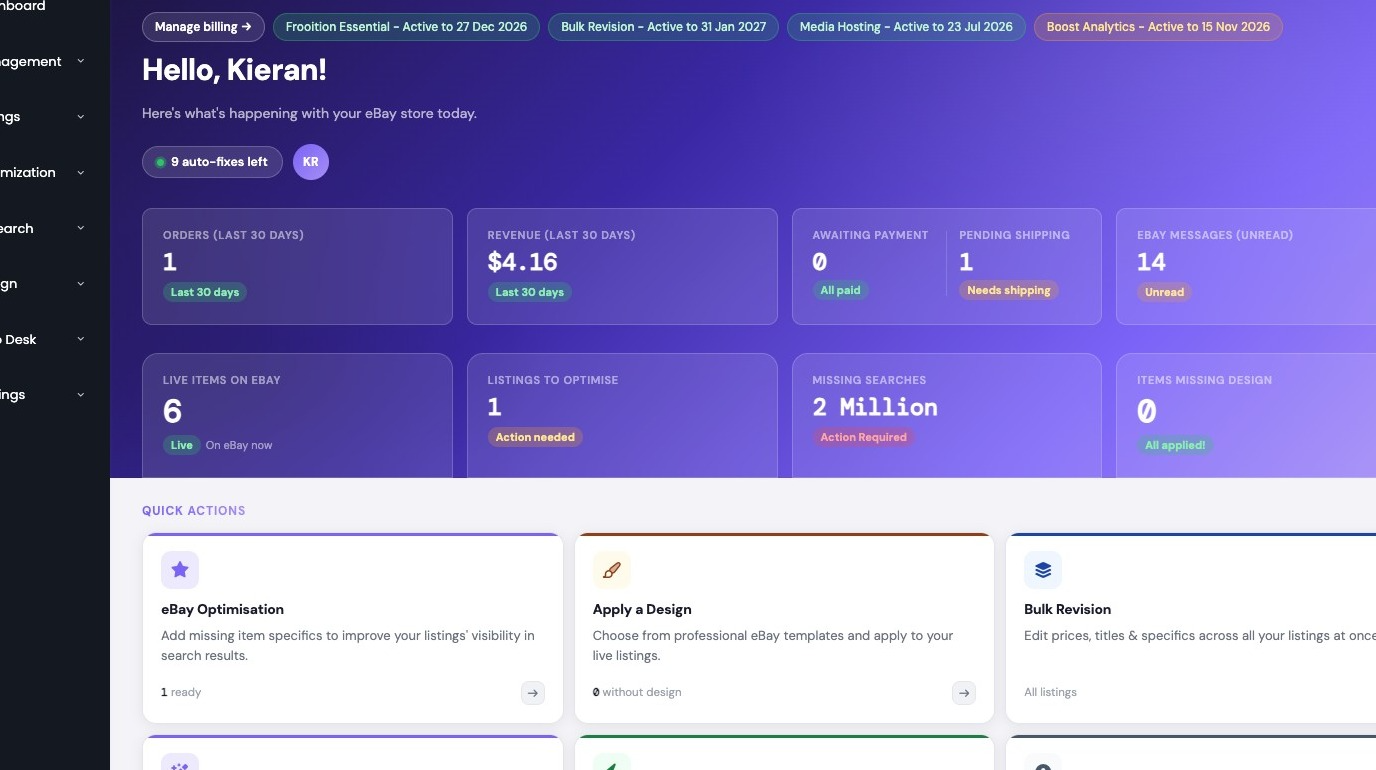
1. Navigate to https://freedom.frooition.com/ebay/
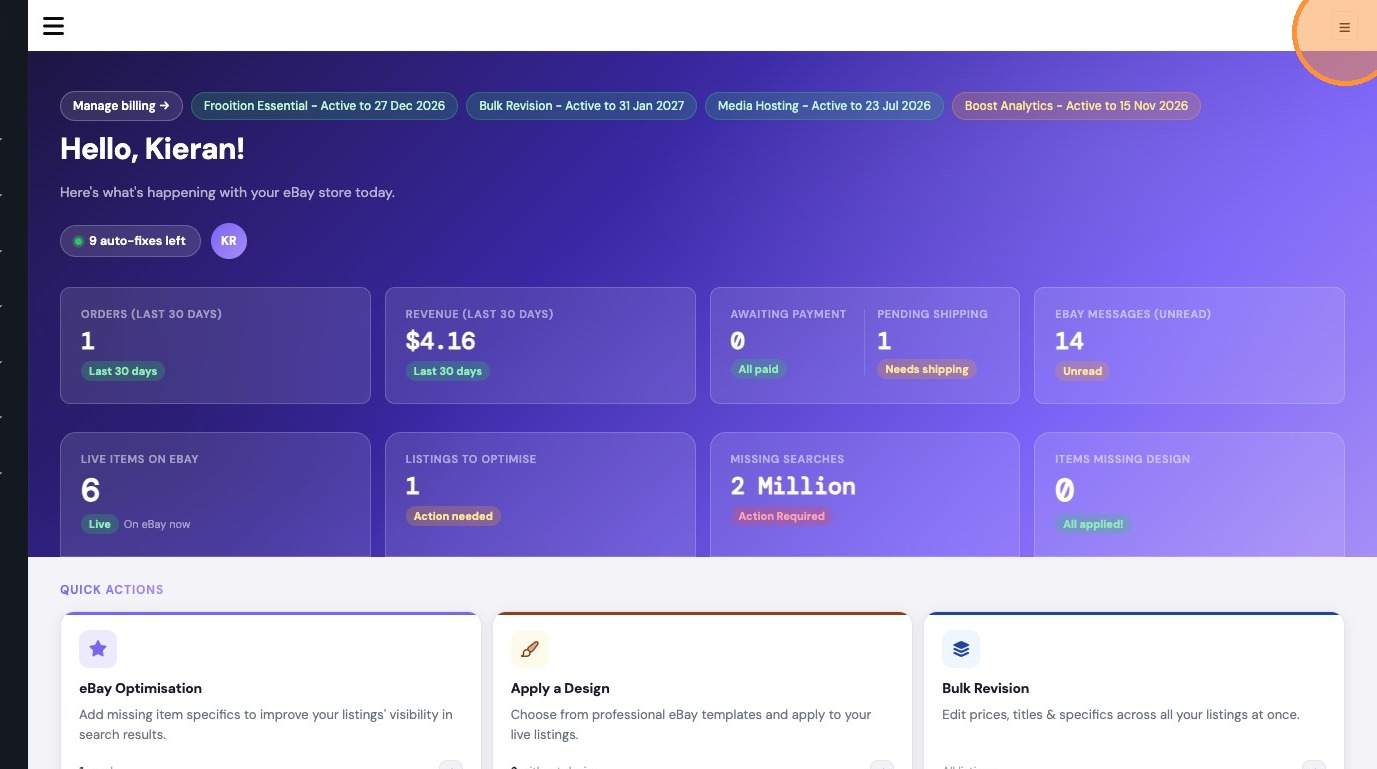
2. Click here.
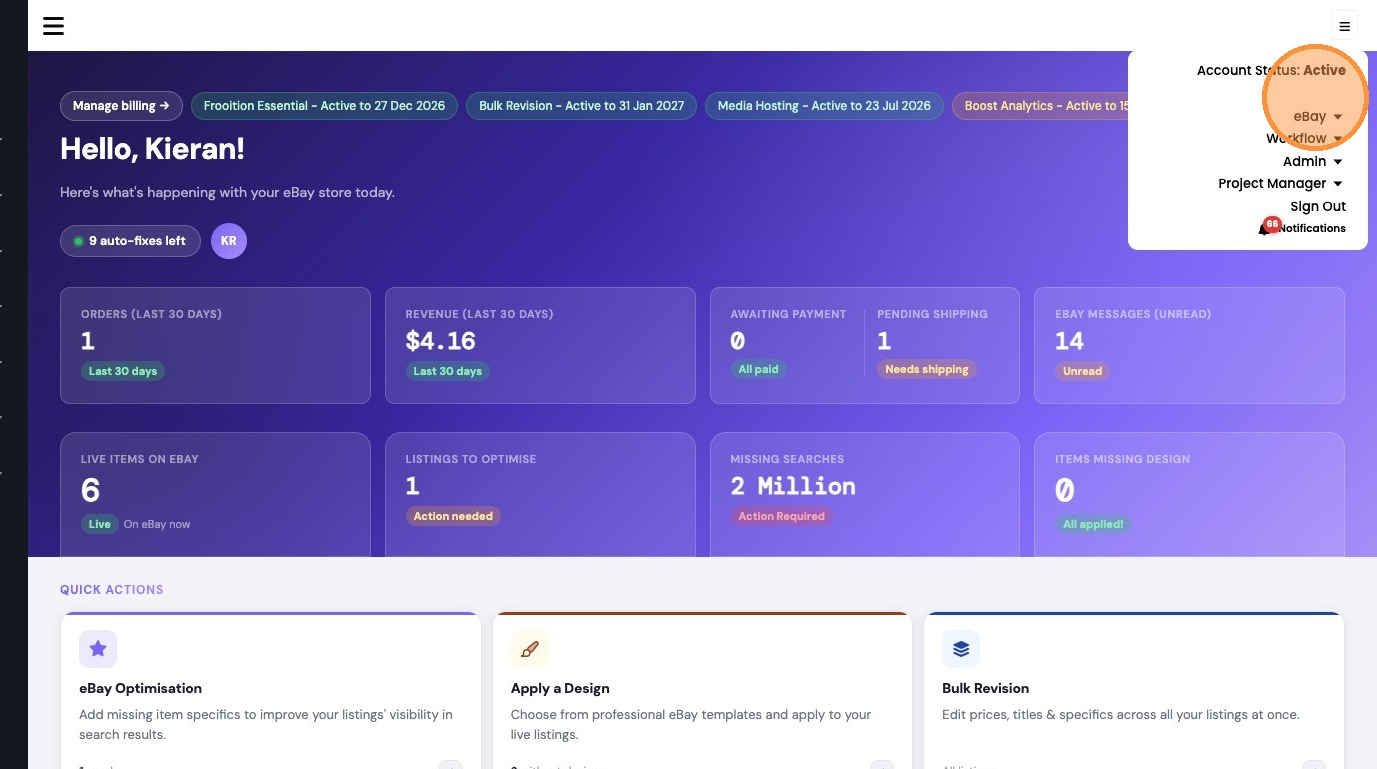
3. Click "My Account"
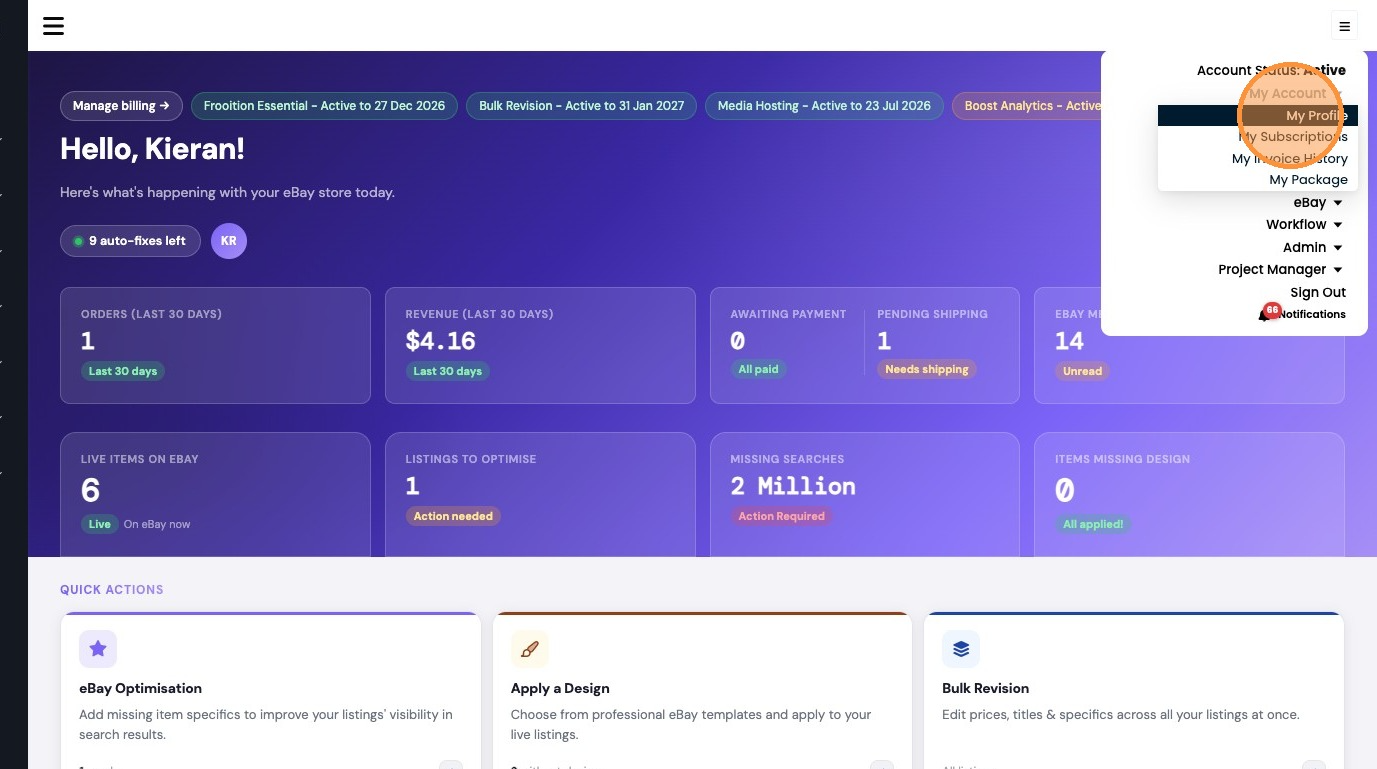
4. Click "My Profile"
5. Click "Additional Users"
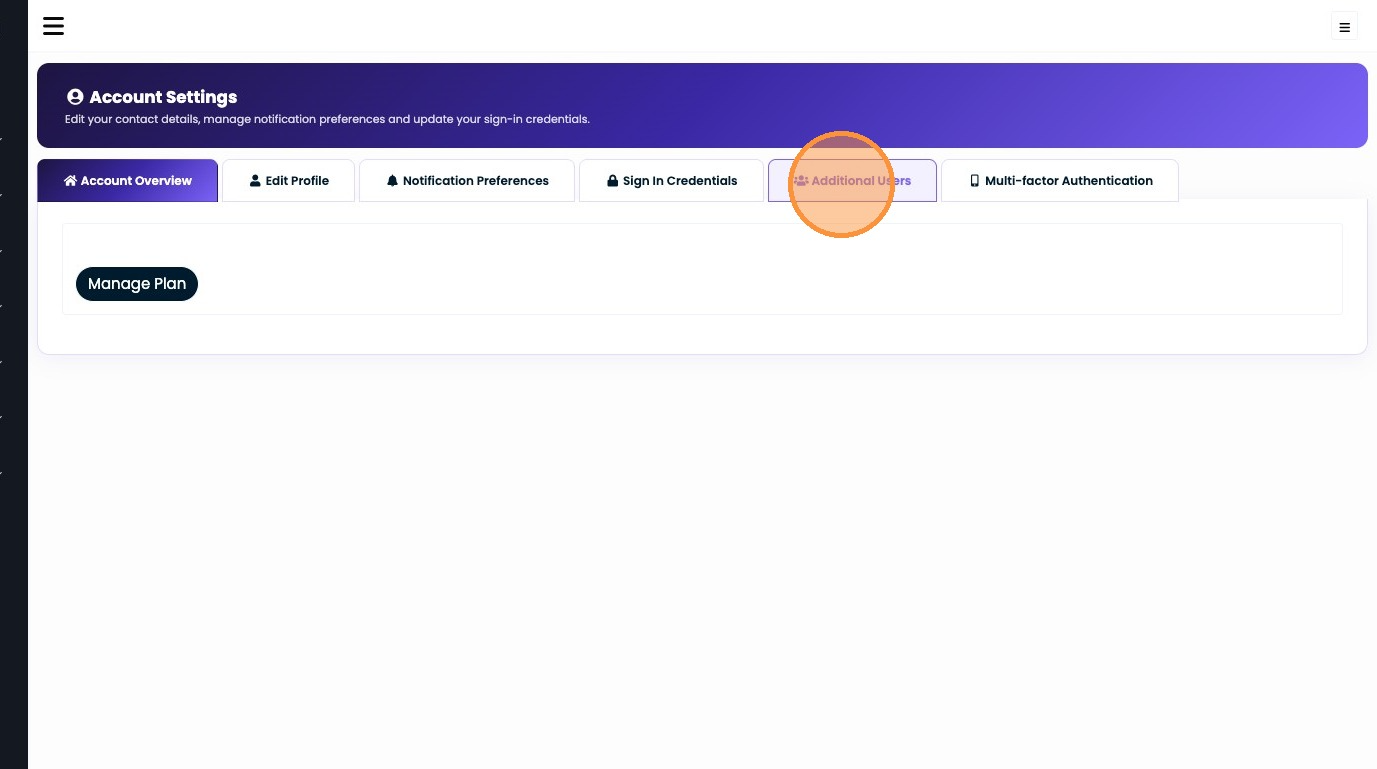
6. Click "Add"
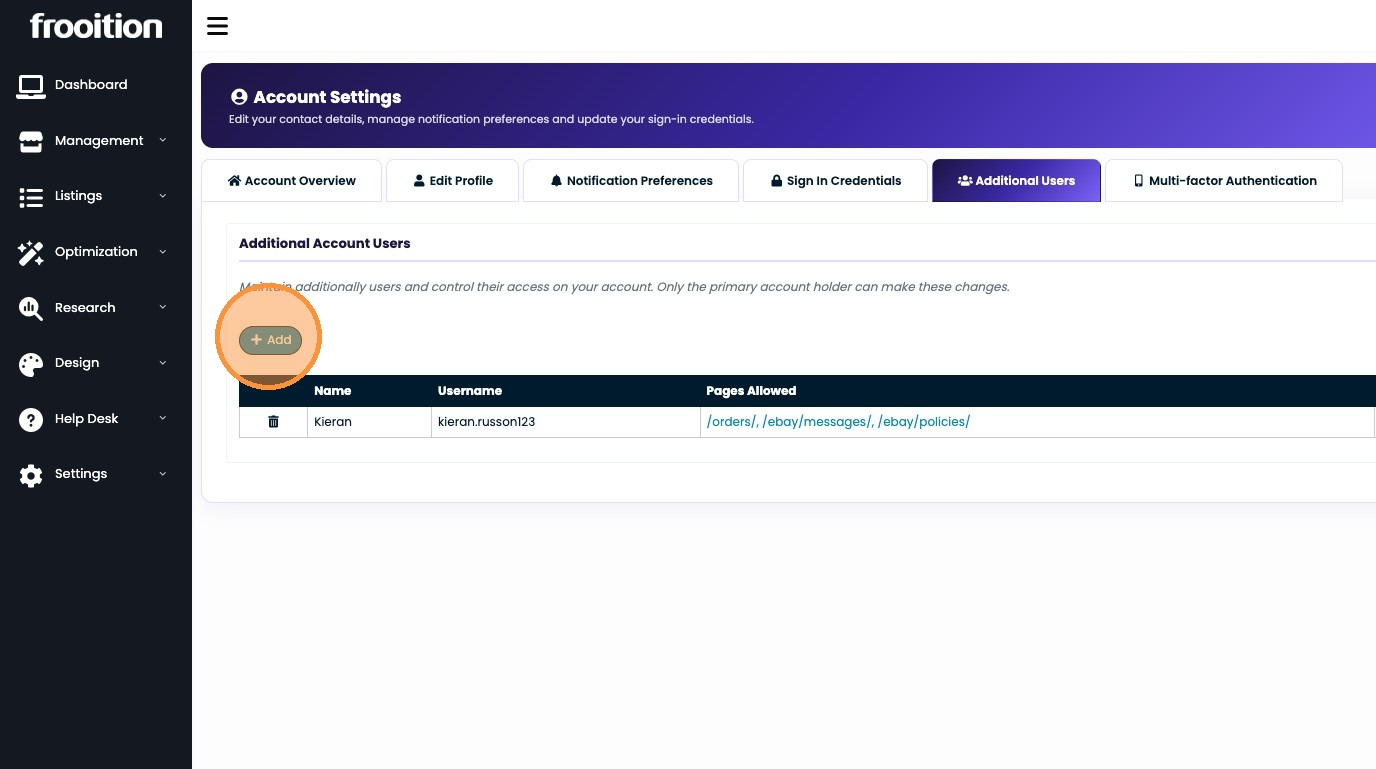
7. Double-click this text field.
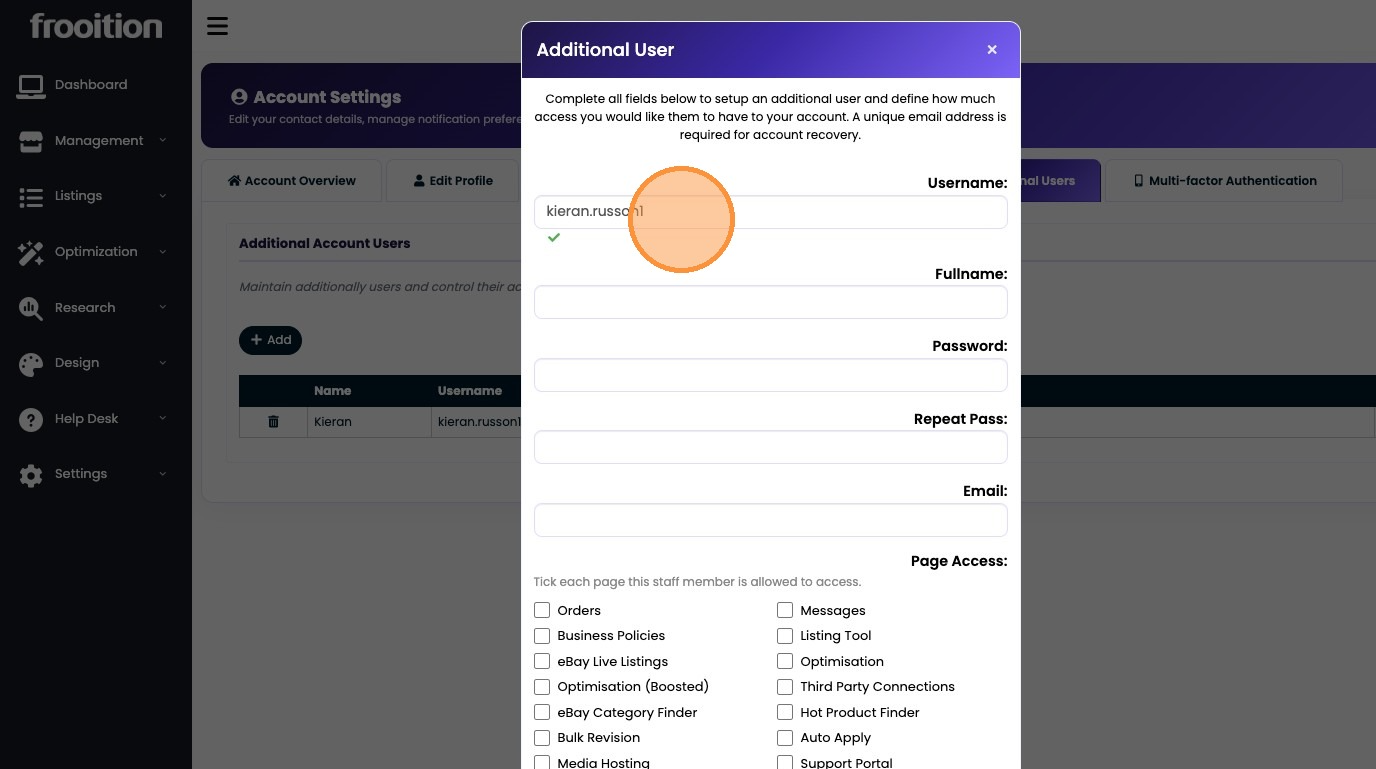
8. Type "testuser1"
9. Click this text field.
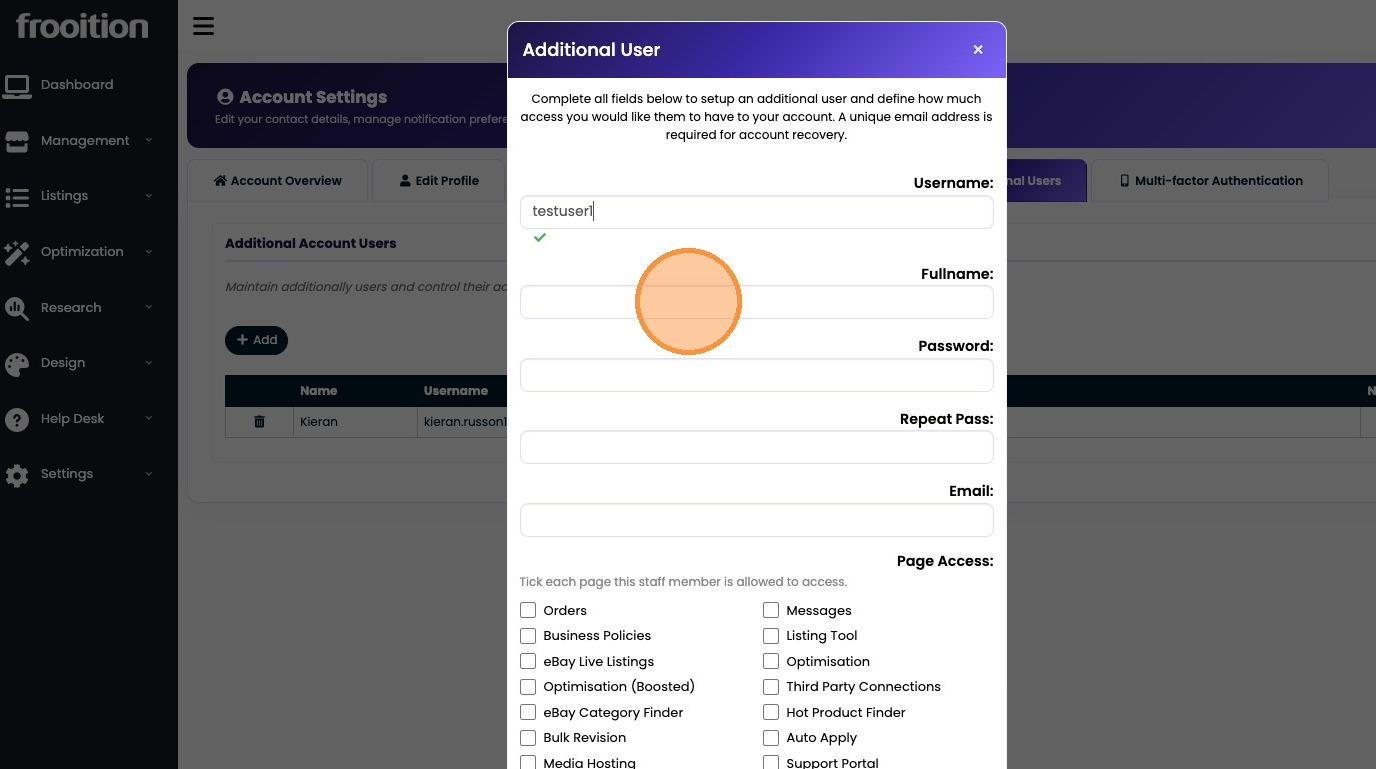
10. Click this password field.
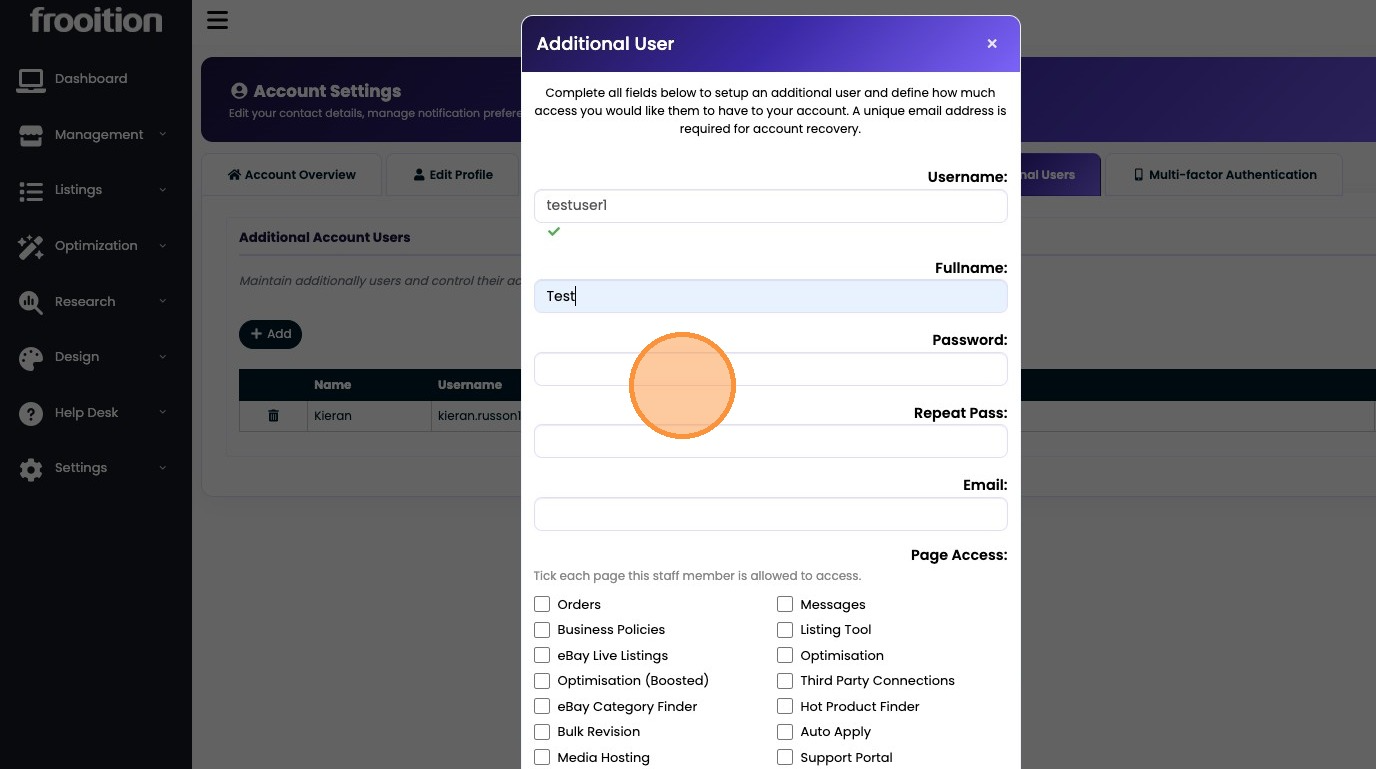
11. Click this password field.
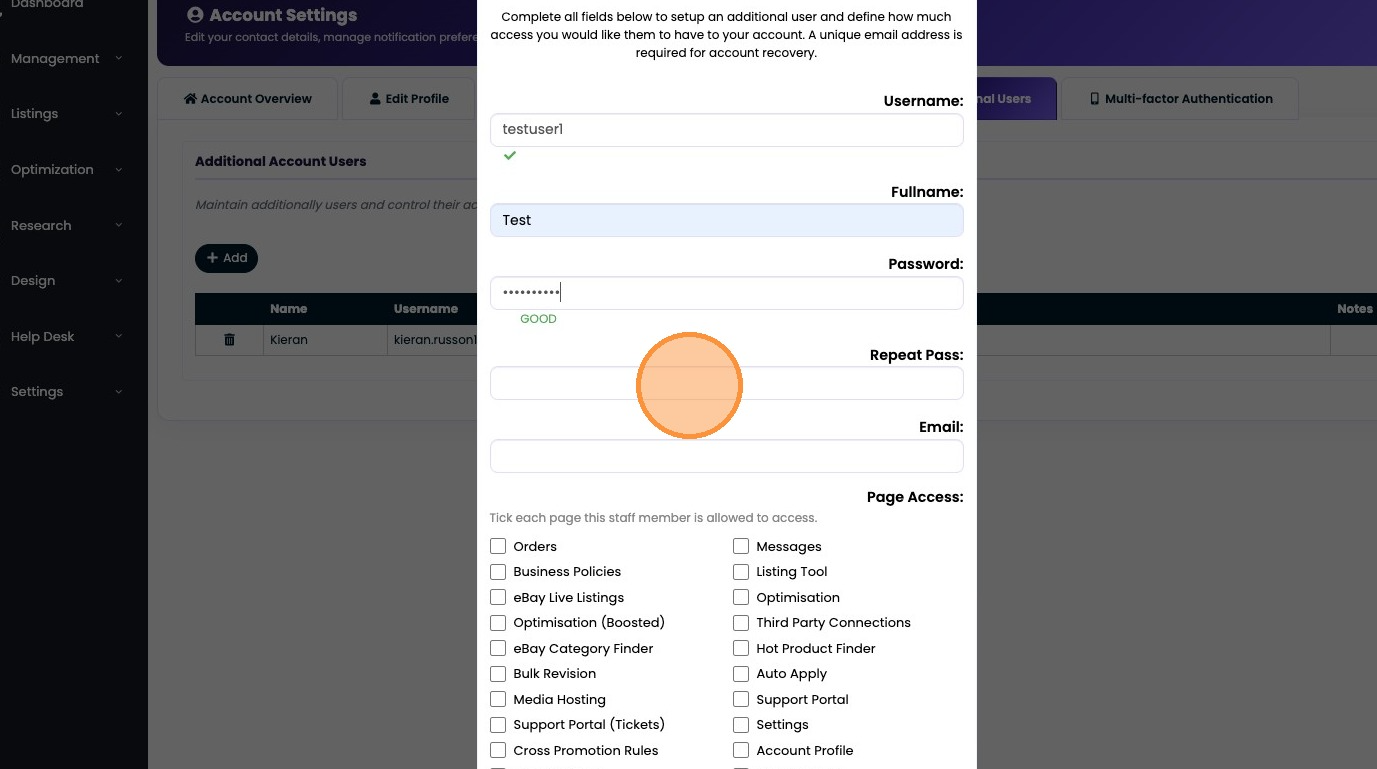
12. Click this email field.
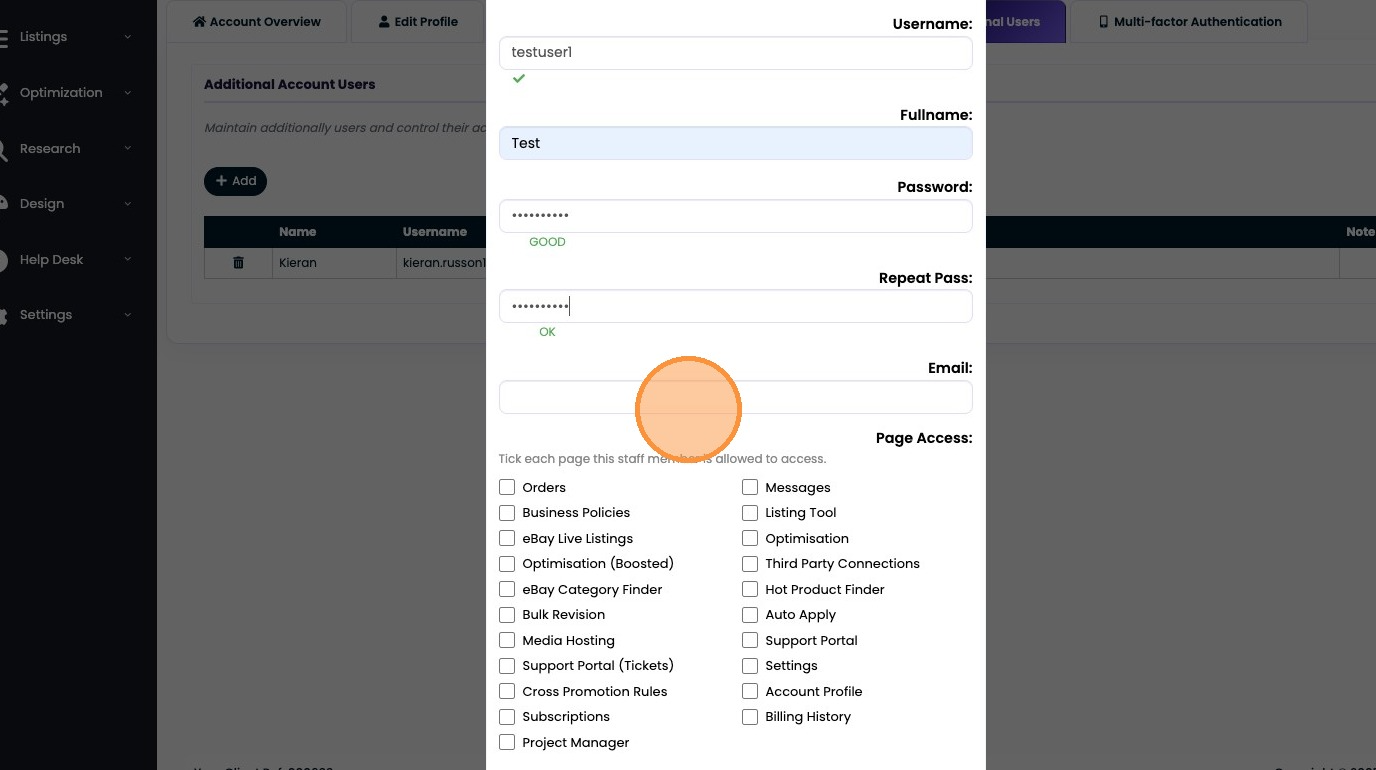
13. Type "test@froo.com"
14. Click "Orders"
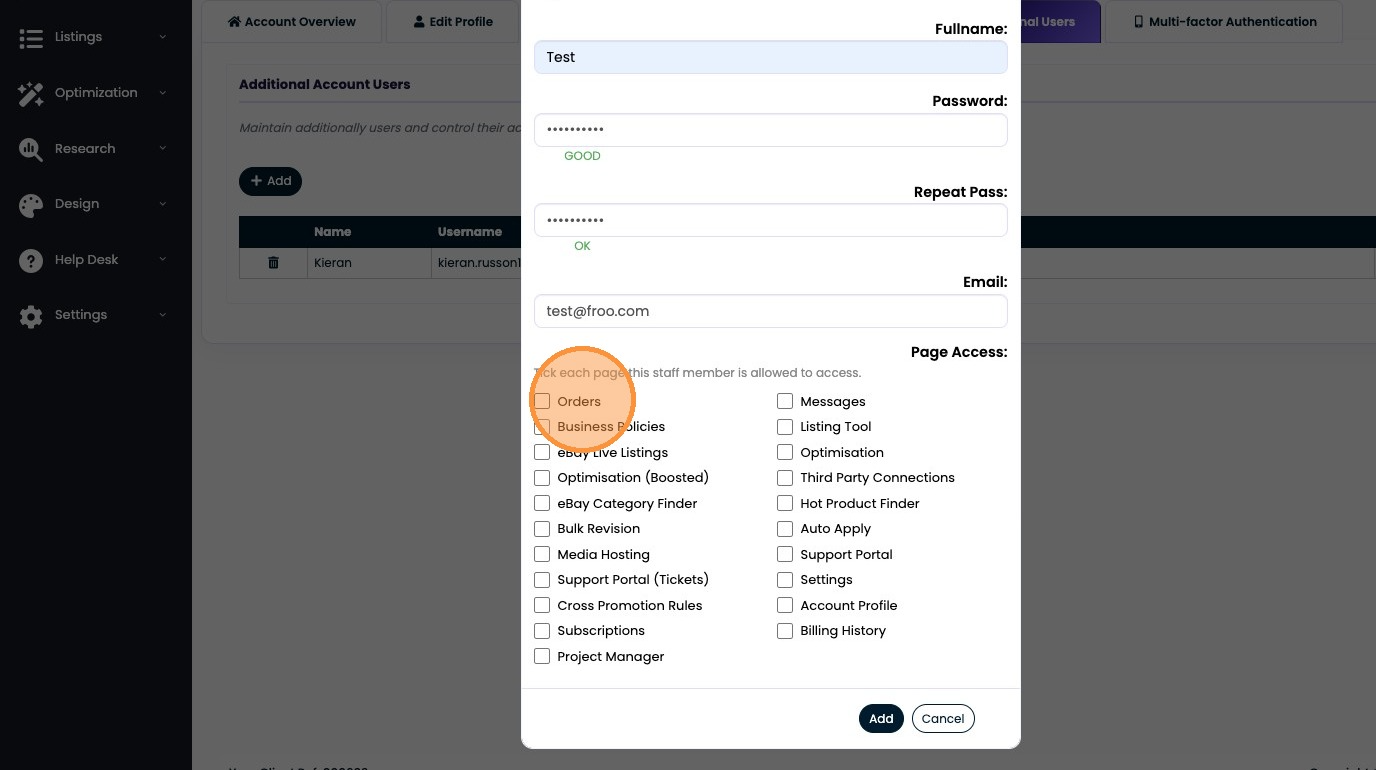
15. Click "Business Policies"
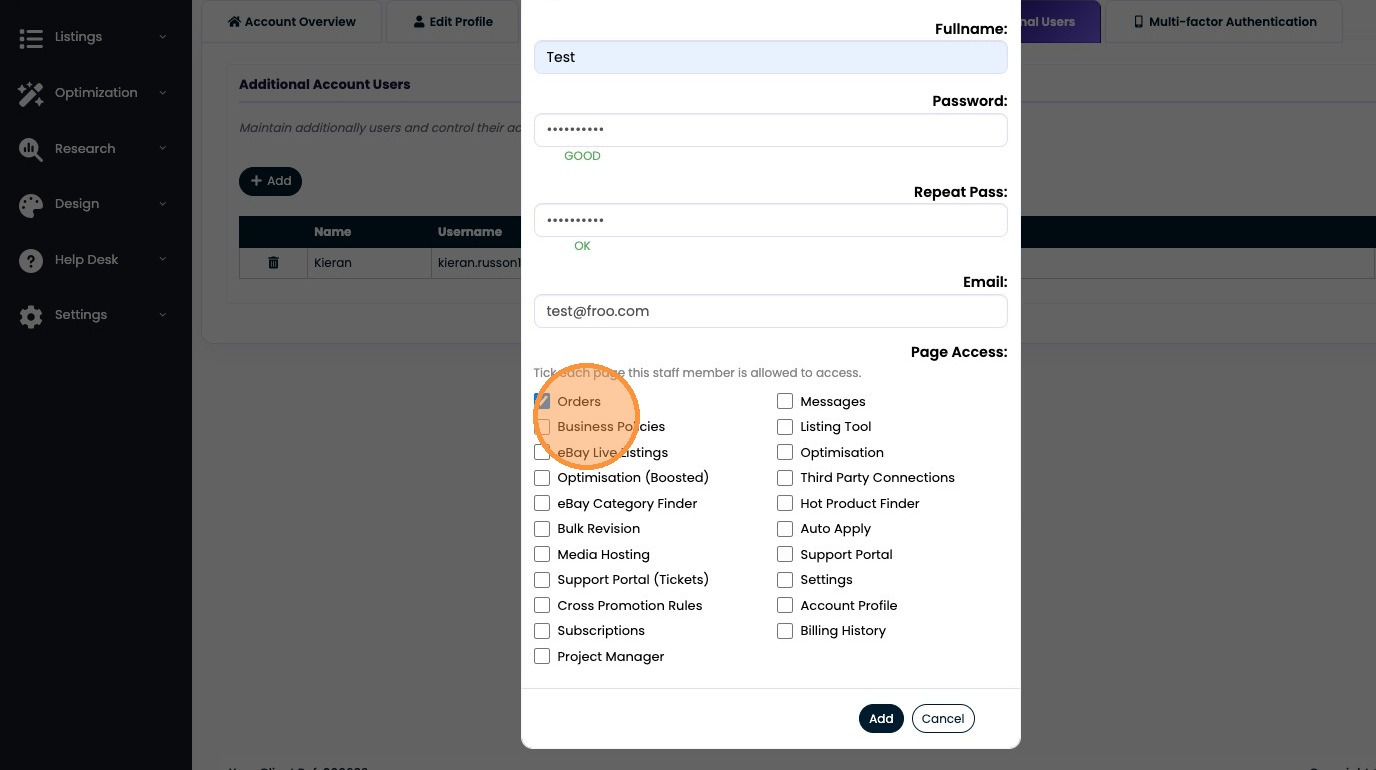
16. Click the "Messages" field.
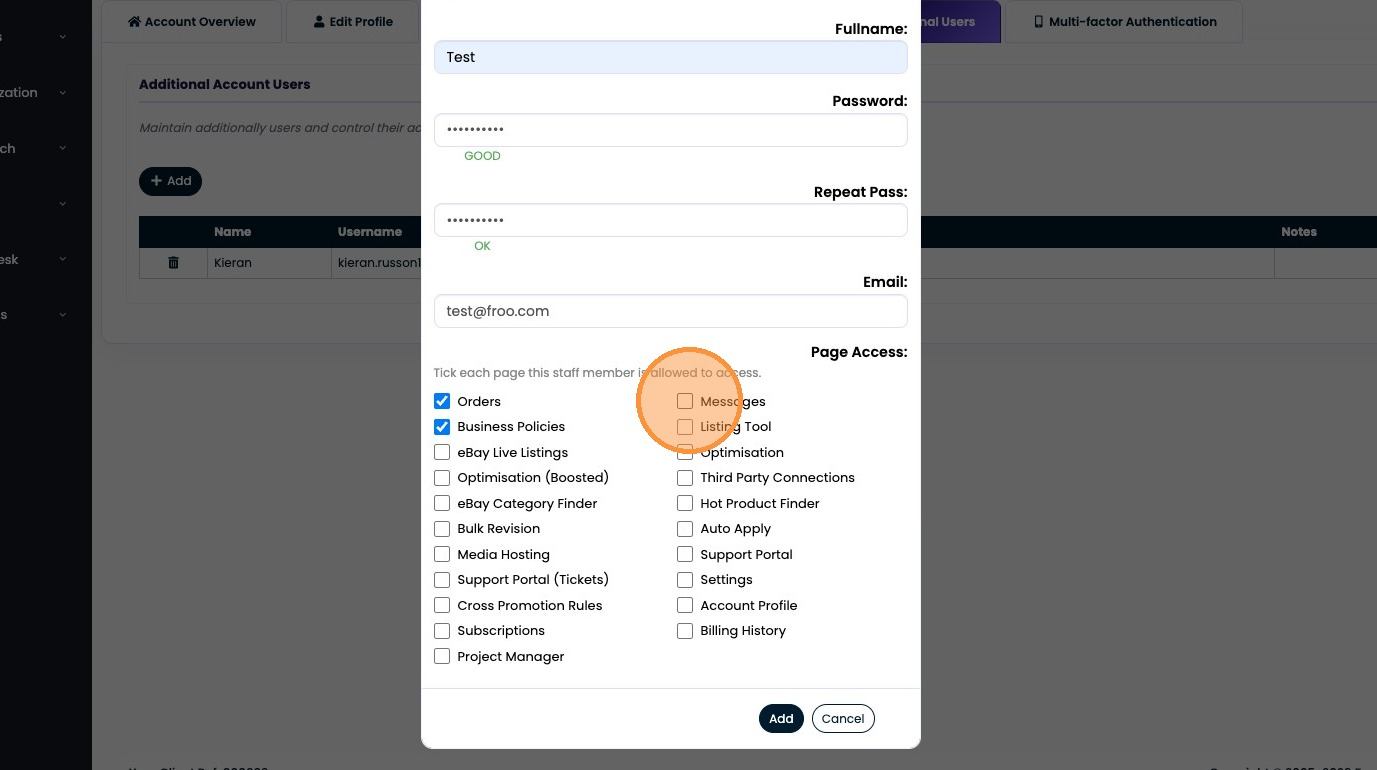
17. Click the "Listing Tool" field.
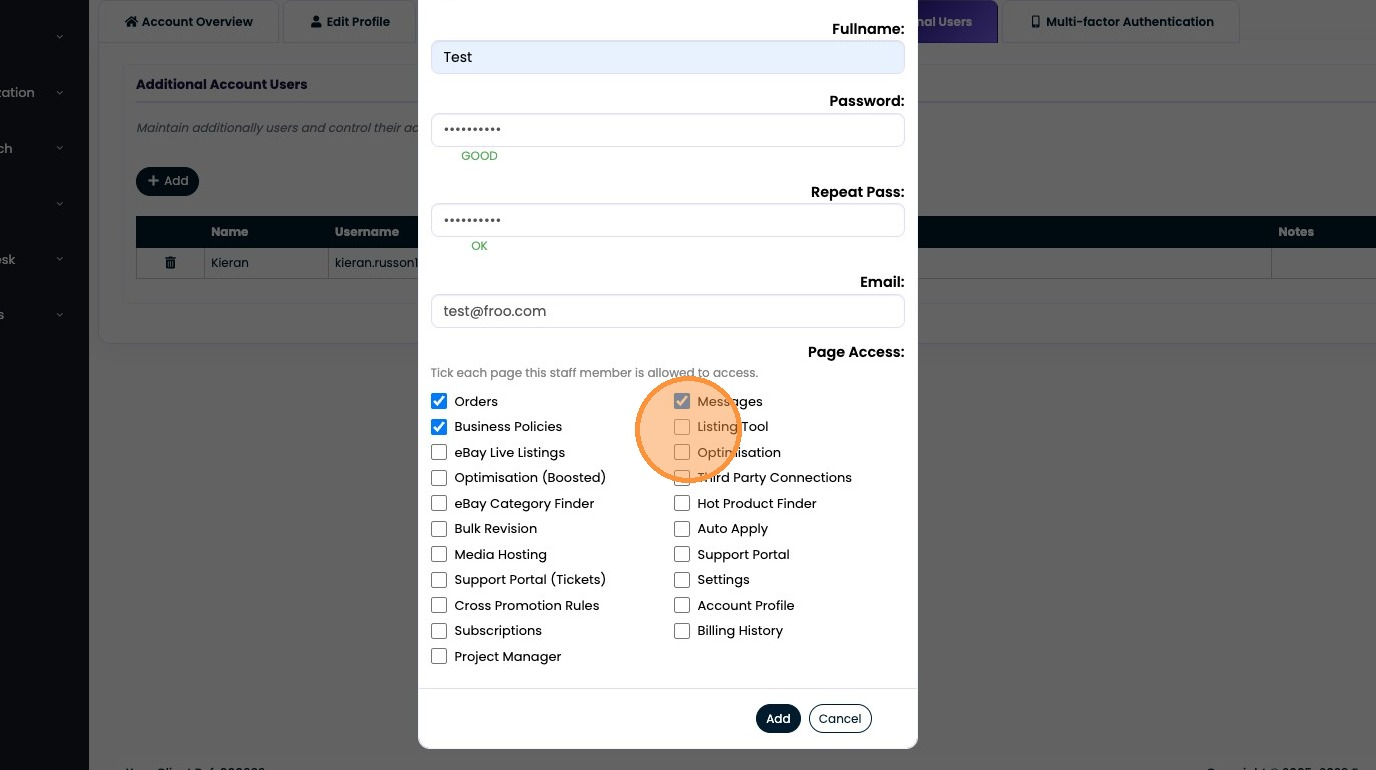
18. Click the "Optimisation" field.
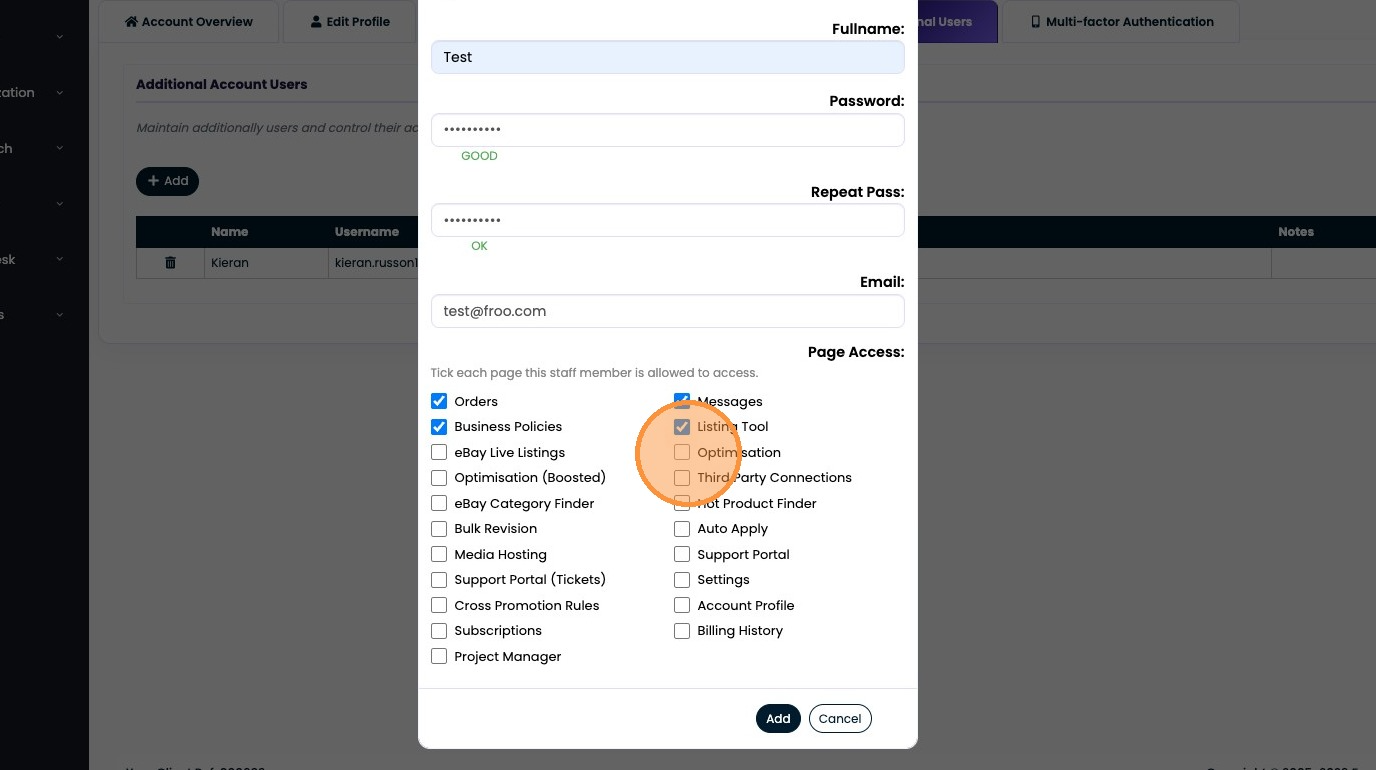
19. Click "Add"
Was this article helpful?
That’s Great!
Thank you for your feedback
Sorry! We couldn't be helpful
Thank you for your feedback
Feedback sent
We appreciate your effort and will try to fix the article